Product tour

See how time, tasks, and projects stay in one place.

Demo · Product tour

Watch the tour in two minutes.

An end to end walkthrough: writing hours, following tasks, opening a project, and generating a report.

Video tour of Timaroo’s main features.2:08 · no sound
01 · Dashboard

See what needs attention first.

See deadlines, assigned work, recent project activity, and monthly hour progress in one overview.
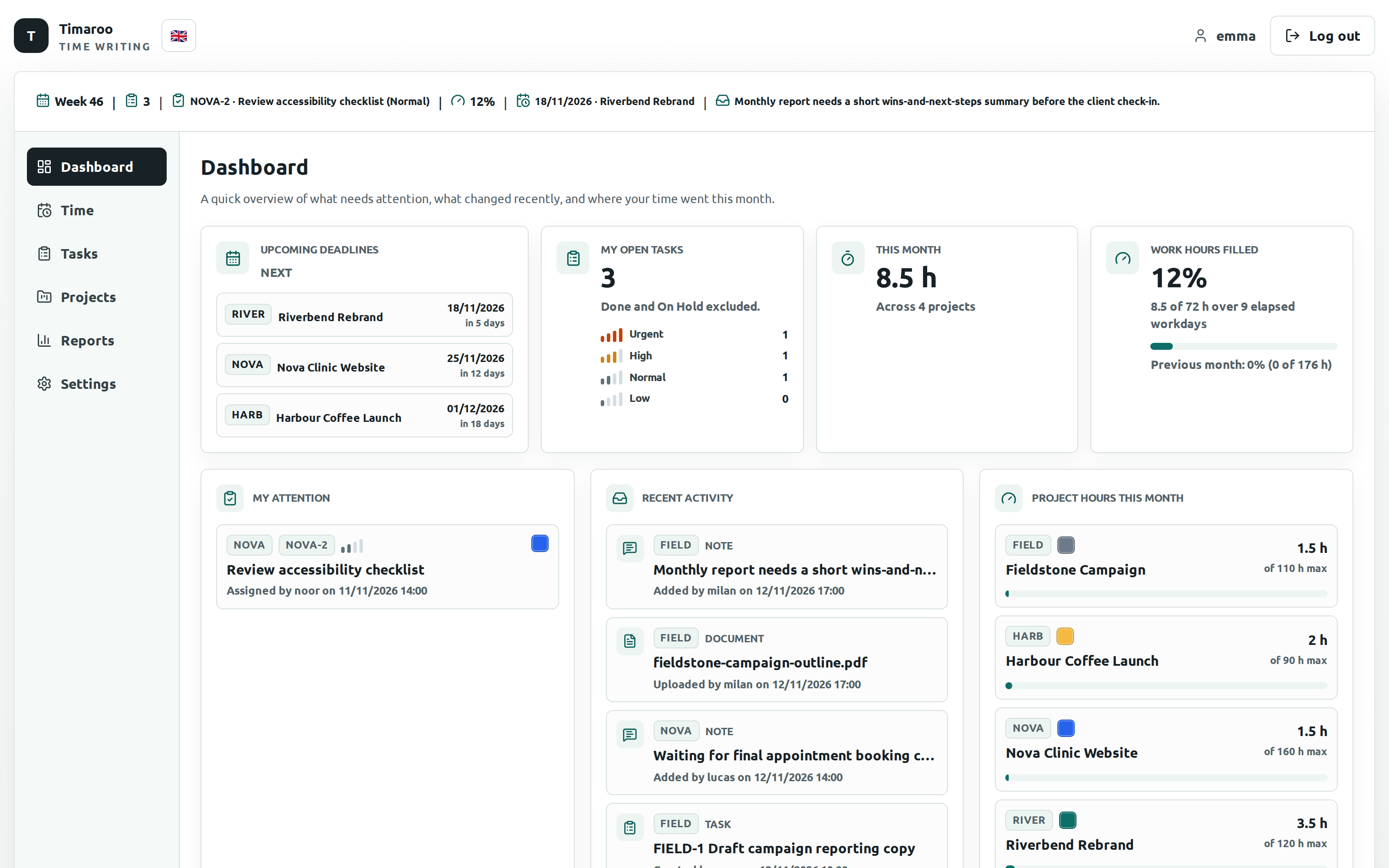
Timaroo dashboard showing upcoming project deadlines, assigned tasks, recent activity, and project hour progress.
See deadlines, assigned work, recent project activity, and monthly hour progress in one overview.Click to enlarge
02 · Timewriter

Write hours while the week is still fresh.

Write hours in a weekly grid and connect each block to a project, task, and note.
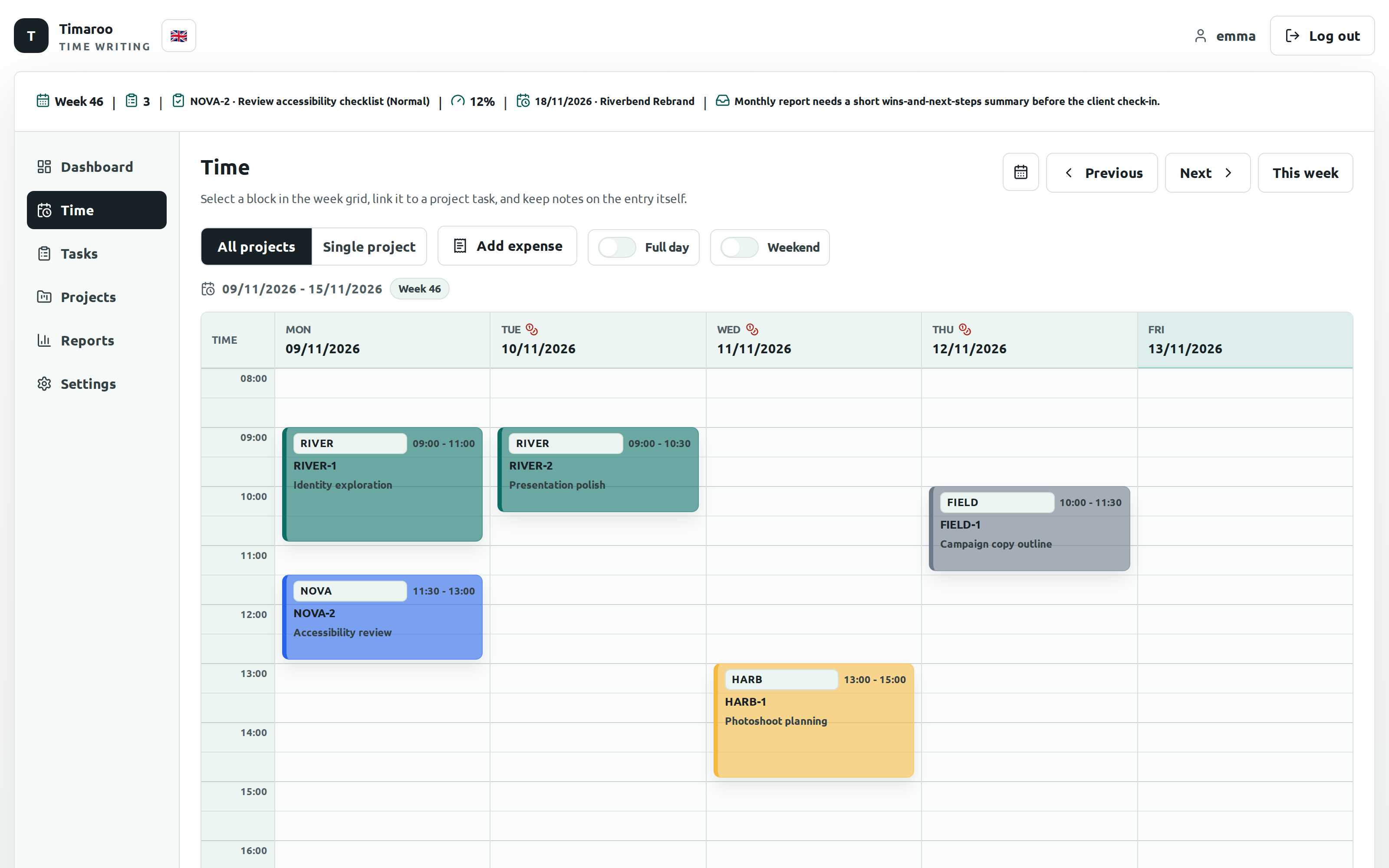
Timaroo Timewriter week grid with time blocks for client projects and linked tasks.
Write hours in a weekly grid and connect each block to a project, task, and note.Click to enlarge
03 · Tasks

Follow project work on a compact board.

Follow project work through a compact task board with priorities, assignees, and project codes.
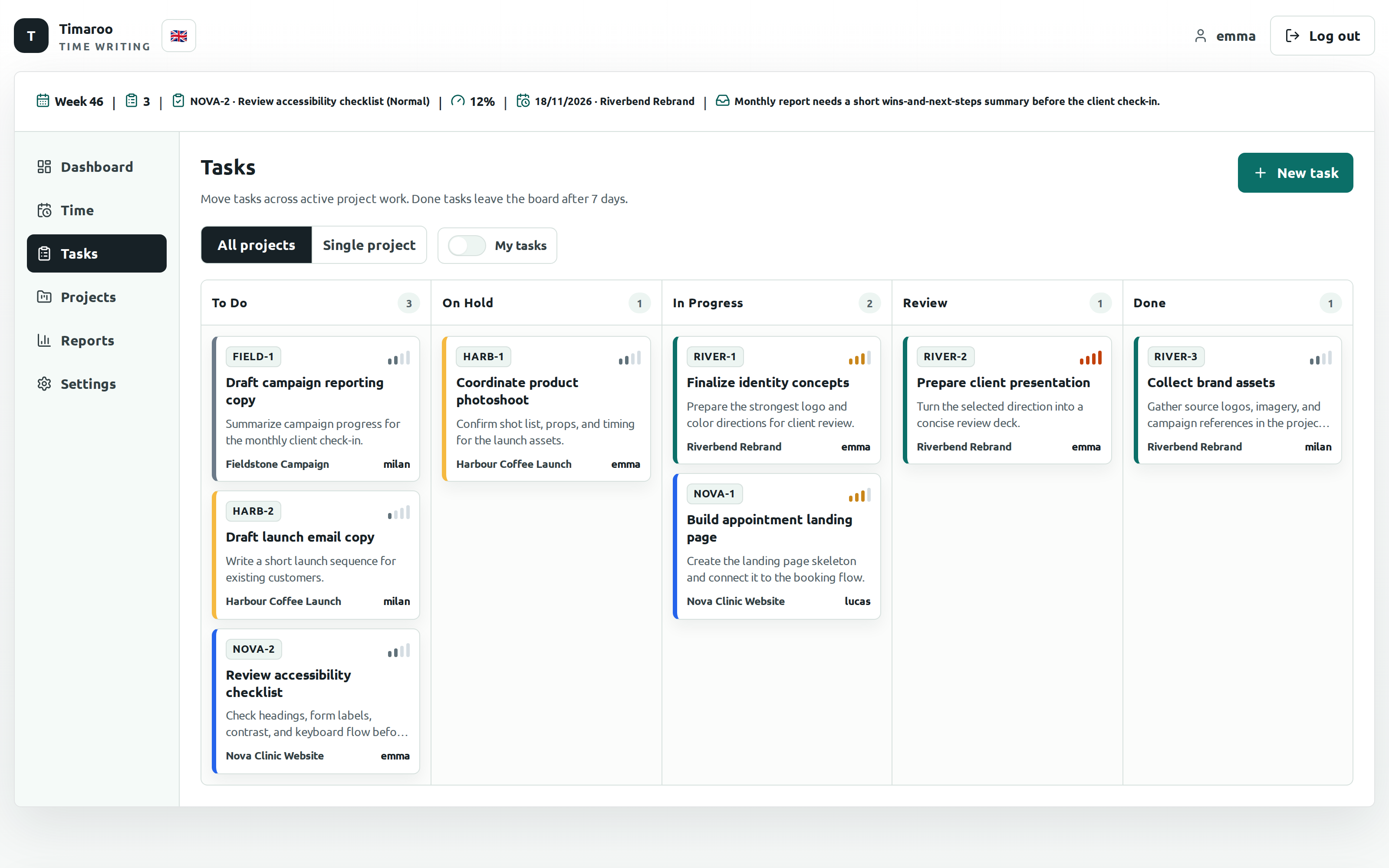
Timaroo task board with To Do, On Hold, In progress, Review, and Done columns.
To Do, On Hold, In Progress, Review, and Done, with priority and assignee visible on every card.Click to enlarge
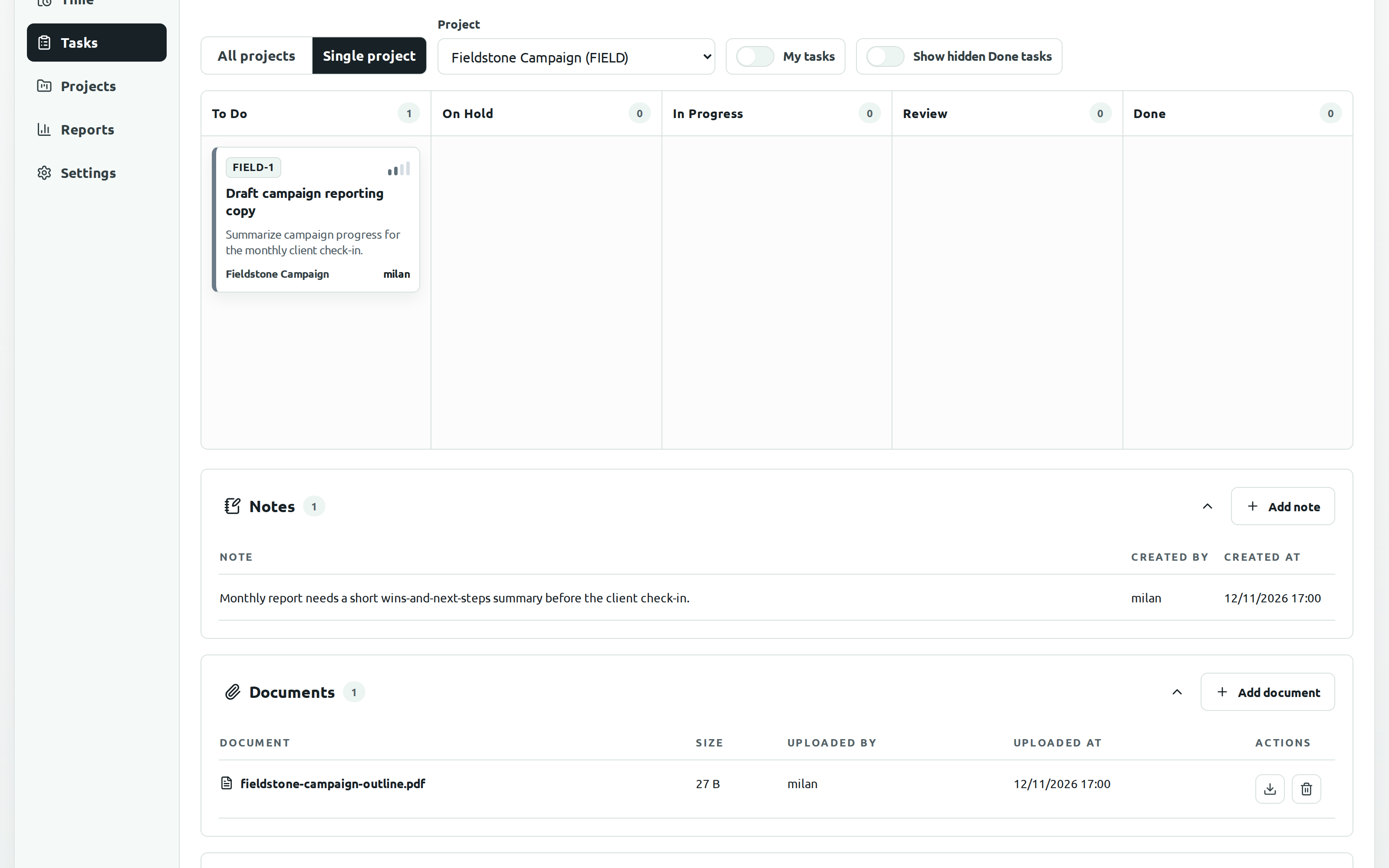
Timaroo Tasks page with Fieldstone Campaign selected and project tasks, notes, documents, and expenses shown together.
Select one project in Tasks to keep the board close to project notes, documents, and expenses.Click to enlarge
04 · Project detail

Keep one shared place per project.

Keep project metadata, notes, documents, and work context together around the same client work.
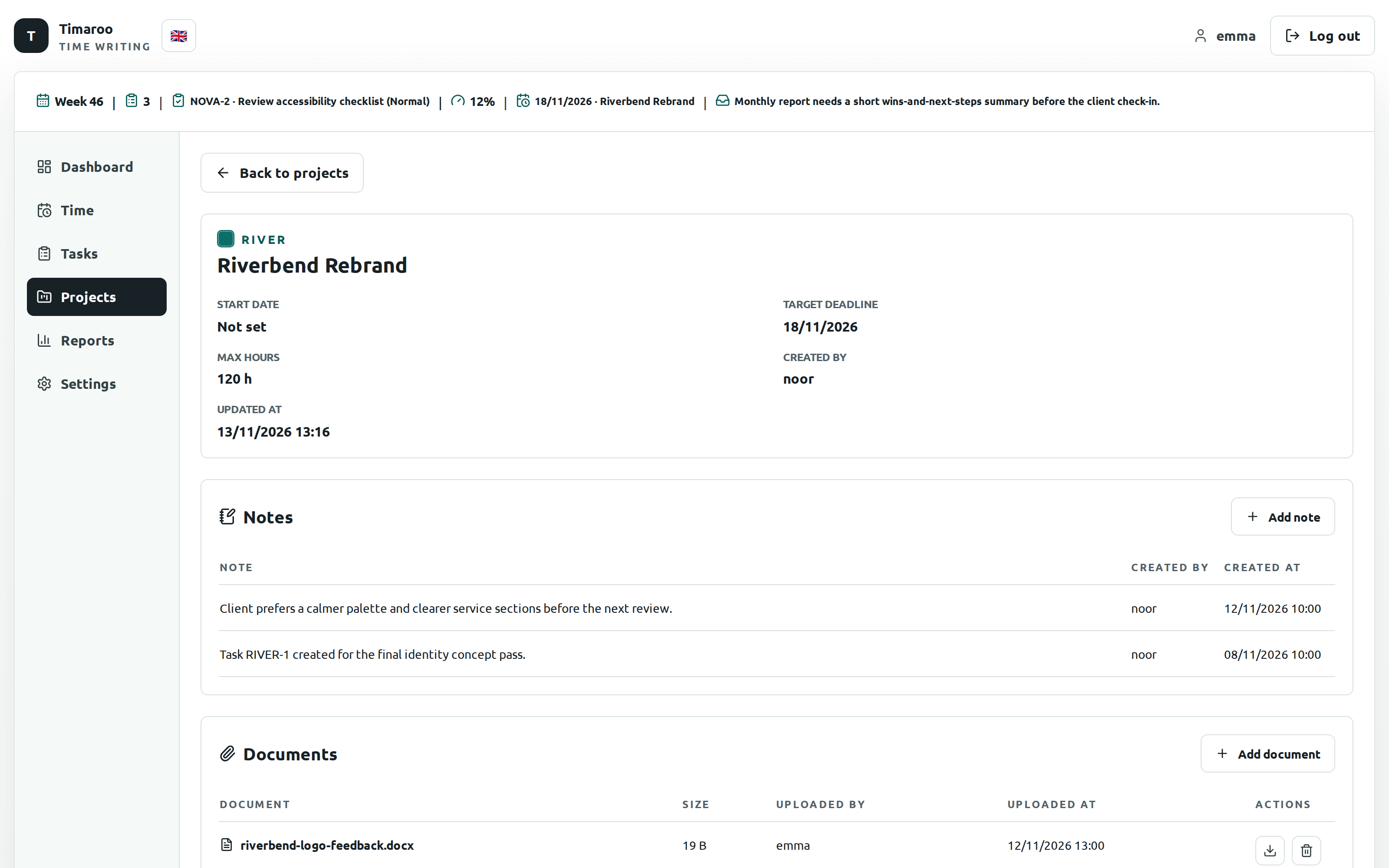
Timaroo project detail page for Riverbend Rebrand with project metadata, notes, documents, and linked project context.
Project metadata, notes, documents, and linked context stay with the same project.Click to enlarge
05 · Reports

Prepare invoice-ready reports without spreadsheets.

Choose projects, periods, task splits, details, and expenses before generating a report preview.
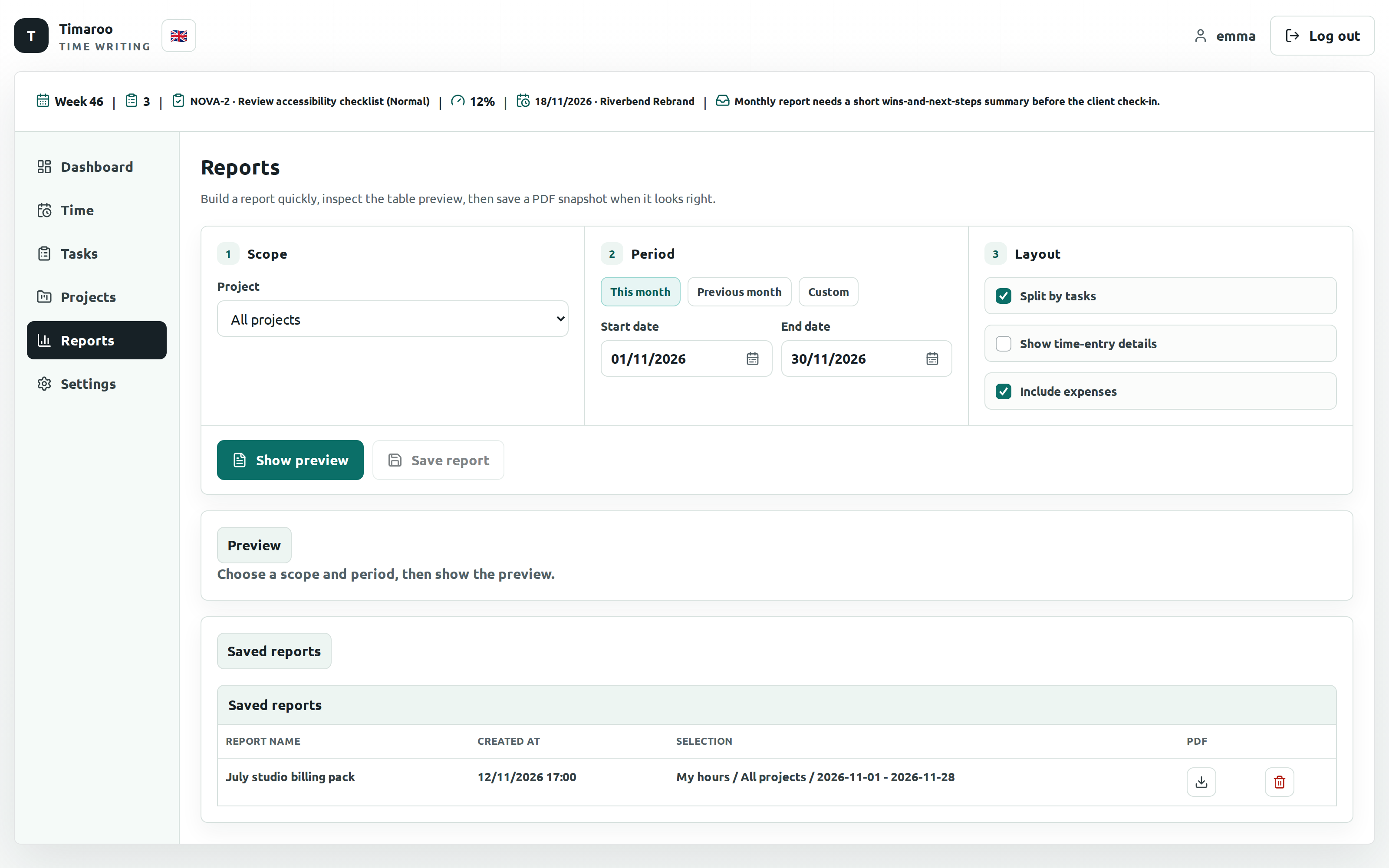
Timaroo Reports page showing the report selection wizard with project, period, and layout options.
Choose projects, periods, task splits, details, and expenses before generating a preview.Click to enlarge
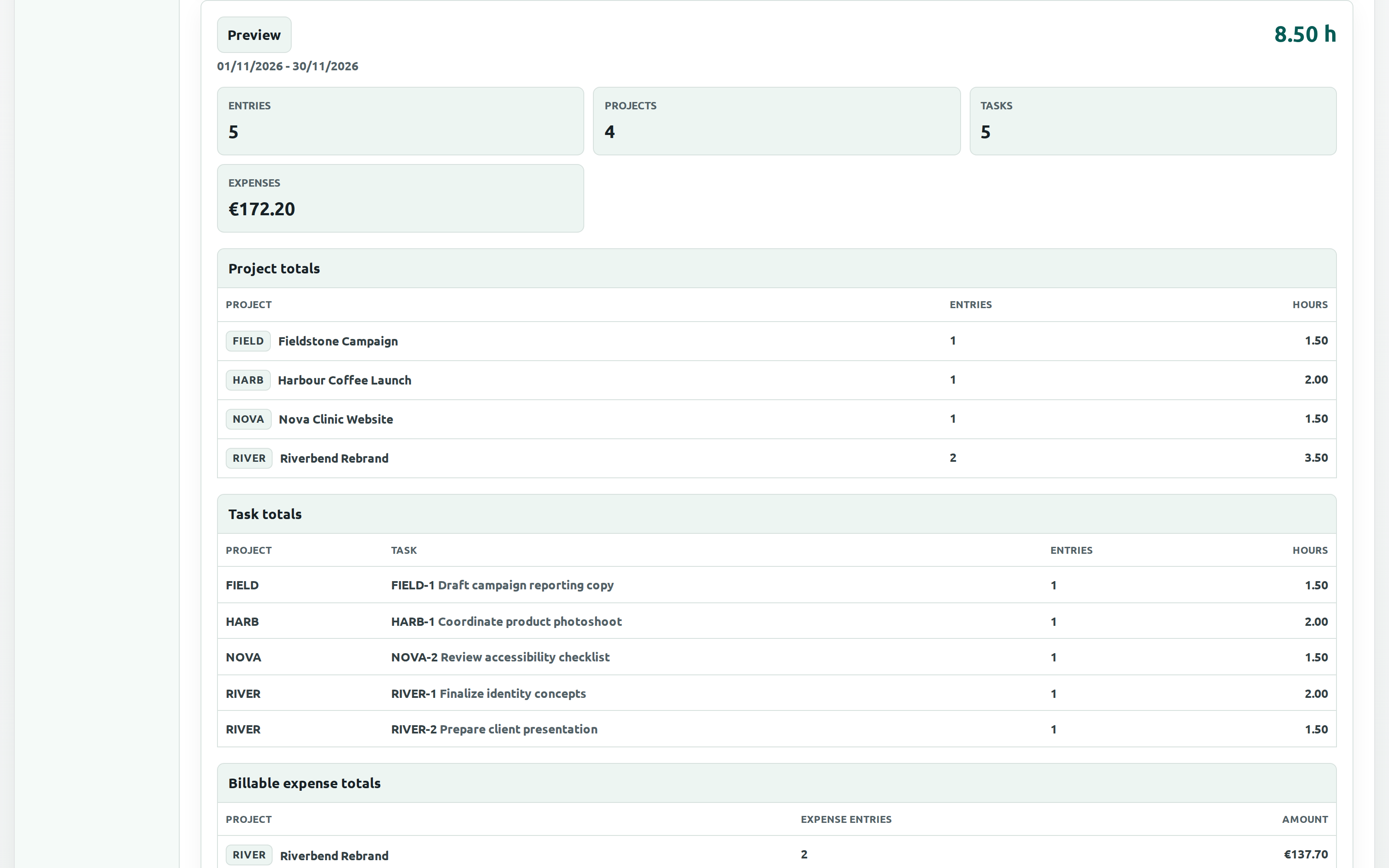
Timaroo reports page showing a preview with project totals, task totals, and billable expense totals.
Build a time and expense report and inspect totals before saving a PDF snapshot.Click to enlarge

Ready to bring this to your own server?

Timaroo installs as a Synology package first, with your data staying on your own NAS.

Get Timaroo